Key Takeaways:
- Competitor backlinks allow website owners to know about their competitor’s plan for getting links and use that to improve yours.
- Finding competitor links involves 4 steps: identify competitors, start a backlink gap analysis, analyze the gap, and choose websites for link building.
Why Should You Find Competitor Backlinks?
Analyzing your competitors’ backlinks means looking into and studying the websites pointing to your competitor’s websites. Here’s why it’s important:
- Save time: Your competitors might already have links from websites related to your industry. So you don’t have to spend time searching for these sites yourself.
- Better chance of success: Websites linking to your competitors might also be interested in linking to your site. Getting links from them could be easier and more successful.
- Stay ahead in SEO: Looking at your competitors’ backlinks helps you understand their plans and stay caught up in SEO.
- Get new ideas for link building: Studying your competitors’ backlinks lets you see what kinds of sites link to them. This tactic can help you think of new ways to get links.
4 Simple Steps On How To Check Competitor’s Backlinks
Many tools, such as Ahrefs, SEMrush, and Moz, help you find your and your competitors’ backlinks. Here is a quick tutorial to check with SEMRush:
Step #1: Identify Your Competitors
The first step to check your competitors’ backlinks is selecting up to four websites you want to compare with yours. But what if you need to figure out who your competitors are? Consider the below factors:
- Industry: Focus on companies that produce similar products or services.
- Niche: Look for competitors in a specialized segment within that industry.
- Aligned target audience: Target companies reaching similar audiences.
- Quality of backlink profile: Avoid analyzing competitors with poor backlink profiles to ensure valuable insights.
Considering the above factors, let’s explore how to find your competitors’ backlinks on SEMrush.
First, to reveal data about your backlink profile, enter your website on the Backlink Analysis screen and tap “Analyze.”
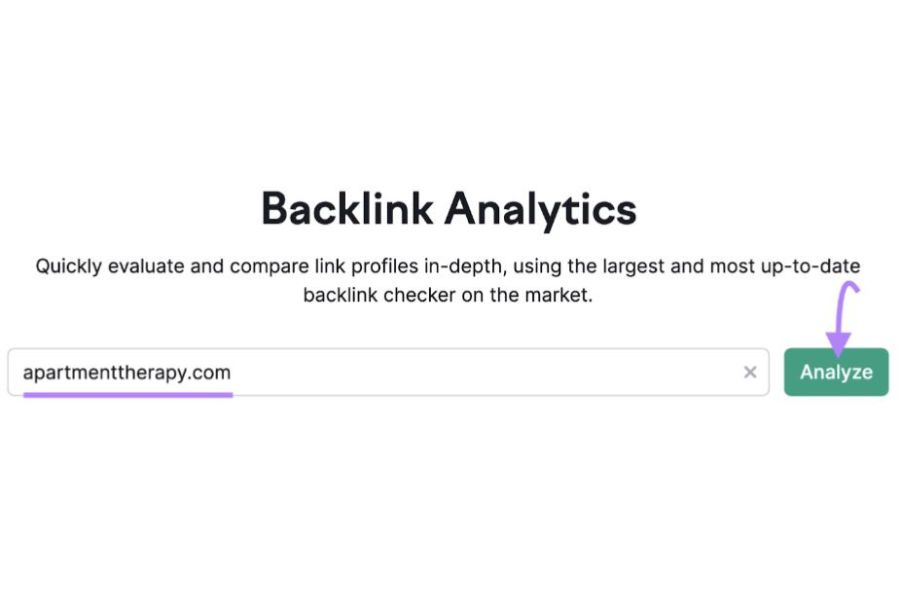
Backlink Analytics tool on SEMrush
The SEMrush data dashboard appears:
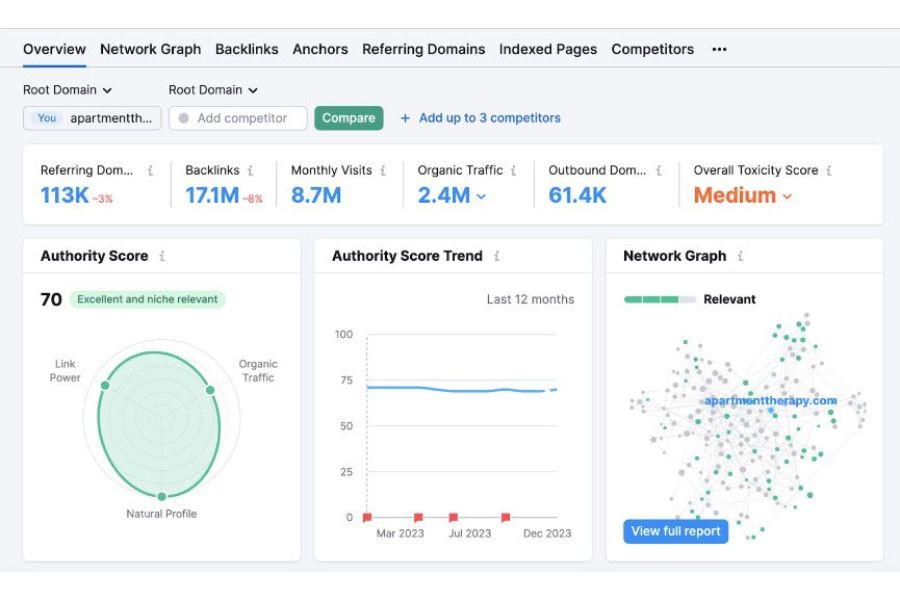
The data of your backlink profile
Click on“Competitors”.
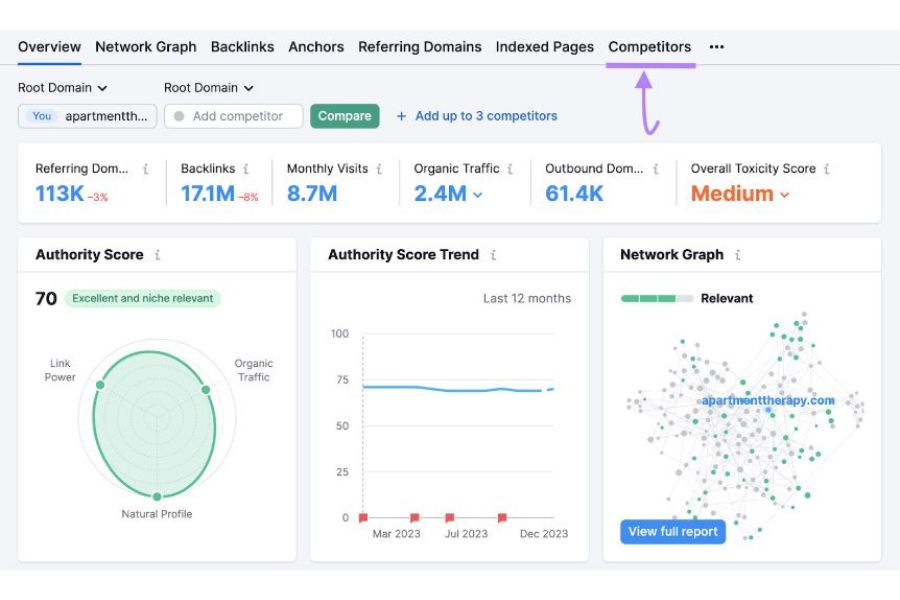
Continue by pressing ‘Competitors.’
You will see a list of websites with similar backlink profiles. The competition ratio index is in the “Competition Level” column, showcasing how many pages refer to links to your site and theirs.
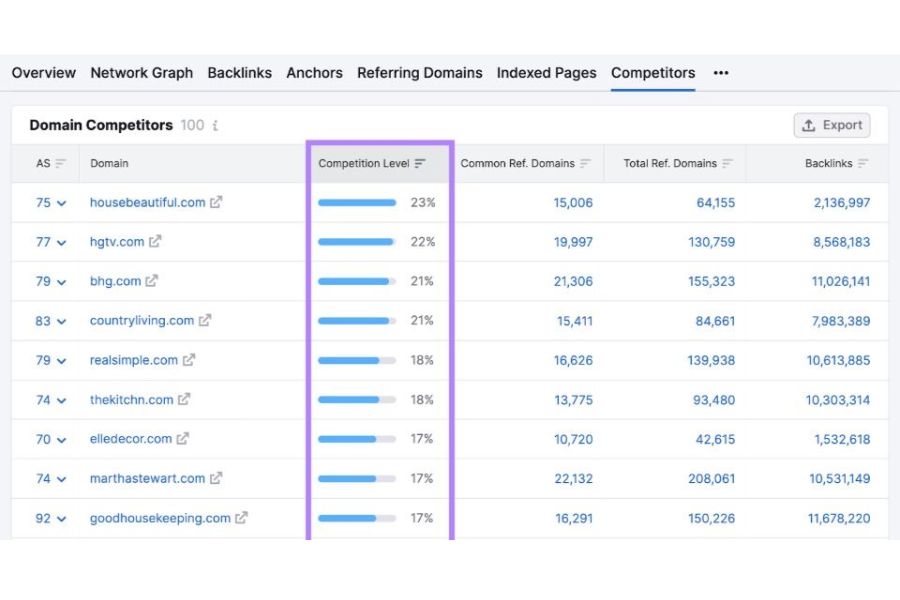
Focus on the ‘Competitor Level’ column.
These sites could be the competitors you are looking for. Before delving into their backlink profile analysis, visit their website to assess their products, services, and content. This step helps confirm their alignment with your industry and evaluate the similarity of their target customers to yours.
Once you’ve chosen a few domain names fitting these criteria, continue your analysis.
Look for the “Authority Score” section, where you’ll find a number showing how much authority the domain has.
For example, the URL below has a score of 75, meaning it’s better than average. The authority score is on a scale from one to 100, where a higher score indicates more authority.

The Authority Score of the URL
You’ll see a message beside the number in the Authority Score section. Here, it says, “Perfect and relevant to the niche.”
The dashboard also reveals more details about the quality of the domain’s backlinks and indicates how beneficial obtaining a link from there would be.

With a score of 75, this competitor will likely offer you some good chances
to build links when you check their backlinks.
Now, look for the “Network Graph” part. It’s on the right side of the Backlink Analytics results page, next to the “Authority Score.”

The Network Graph section
At the top of this section, you’ll see a message about this website. It says, “Reputable.” Reputable websites have many links related to their topic. If your website is in the same topic area, getting links from websites linking to this competitor can help you.
Move over the “Reputable” message to check the information.
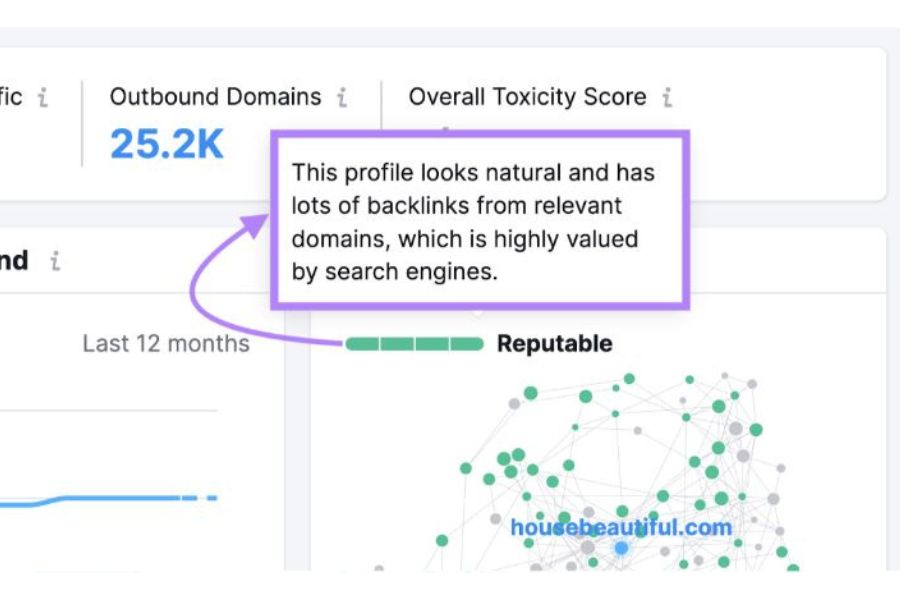
Search engines really like this profile and give it high ratings.
This website is a good choice for comparing backlinks.
Once you find one competitor, repeat the process until you have four competitors for your backlink check.
Step #2: Start Backlink Gap Analysis
Backlink Gap is a tool for finding your competitors’ backlinks, the pages on which you can reach and place your link.
First, open the Backlink Gap tool on SEMrush and enter your domain. Then, join four of your competitors’ domains one at a time.

The Backlink Gap tool
There’s a menu beside each website, where you can select from three options to check different parts of the site.

Select the part of the website you want to check.
Each option has the following meanings:
- Root domain: Checks all links to the domain to analyze the entire website.
- Subdomain: All links to subdomains will be analyzed to compare links to two blogs hosted on subdomains.
- URL: Analyze all links to specific URLs, purposely for comparing two blog posts about the same topic and nothing else.
In this example, we used the root domain option because it gives us an overview of our competitor’s backlink profile.
Click “Find prospect,” and we’ll show you how to clarify this report in the next step.

Click ‘Find prospect’ to go on.
Step #3: Analyze The Gap
Once you click “Find prospects,” you’ll see the first report on your competitor’s backlinks.
Under the “Best” tab, you’ll see the top opportunities. These websites link to your competitors but not you and could also link to your site.
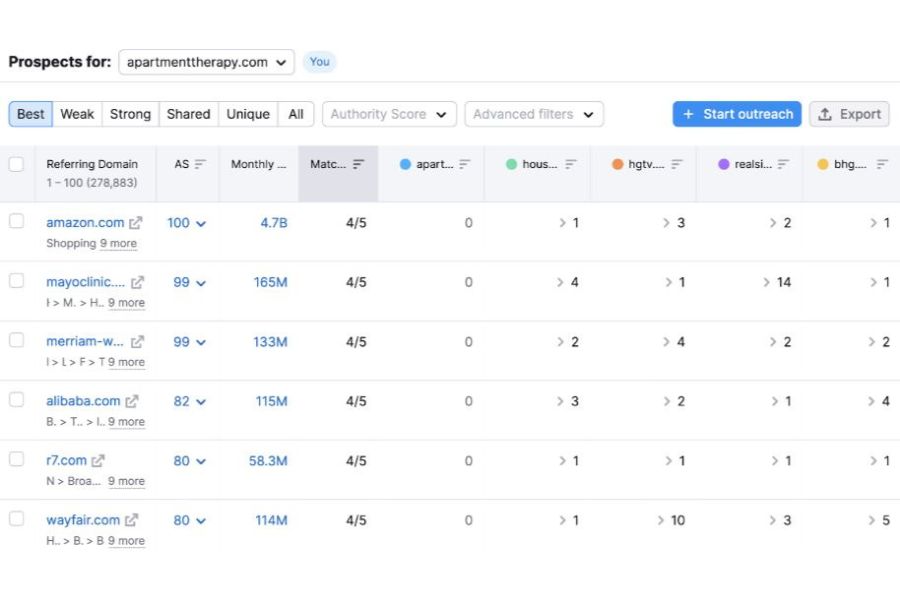
The websites below the ‘Best’ tab are your great link-building chances.
You can change the results using filters based on what you want to find. The filters are listed at the top of your results.
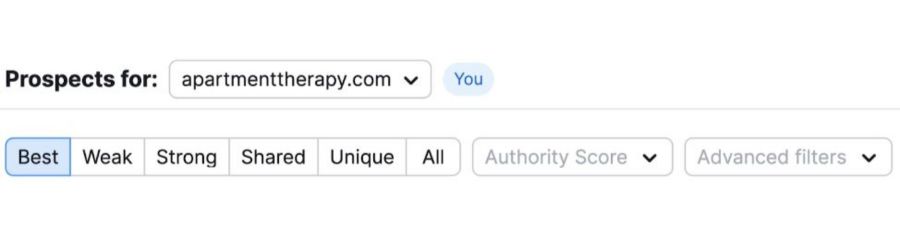
You can modify the results at the top of your results by applying filters tailored to your search criteria.
Here’s what each filter means:
- Best: Websites linking to all your competitors but not to you.
- Weak: Websites link to you and your competitors but link to them more than they link to you.
- Strong: Websites linking exclusively to you
- Shared: Websites link to all websites equally.
- Unique: Websites linking solely to one domain, yours or a competitor’s.
- All: All websites link to at least one analyzed website.
To find the missing links, look at what’s shown under each filter: Best, Weak, and Unique.
Start with the websites you see when you click the “Best” tab. These are likely the best ideas for building links to your site.
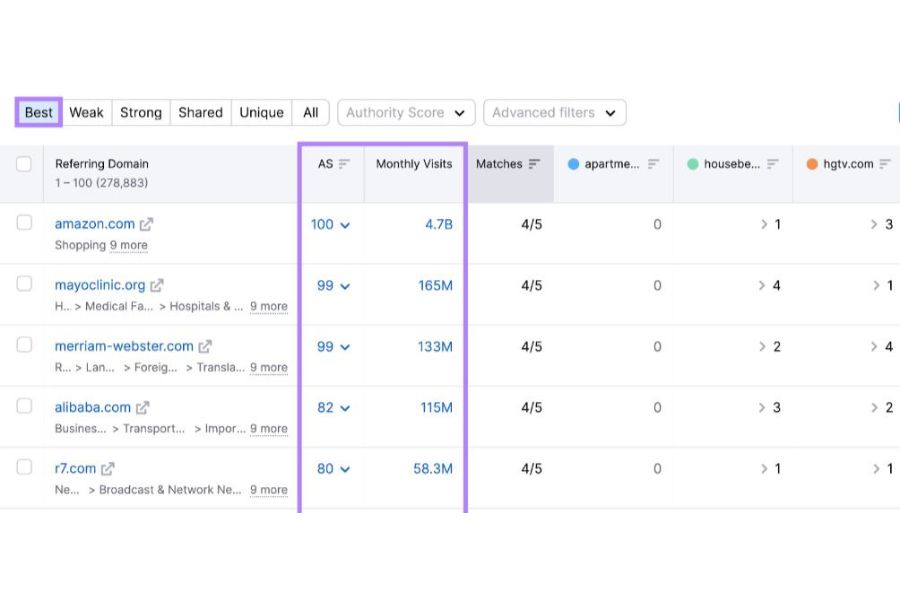
Focus on the AS and Monthly Visits
On the Best’s list, you can check each website’s Authority Score and the monthly visits it receives. You can use menu filters to customize your search.
For instance, click on the “Authority Score” menu to choose a specific range you want to see.

Adjust the Authority Score range you wish to view.
The “Advanced filters” menu also lets you include or exclude a specific location or area in your search.
In this example, we’ll look at pages with an authority of 61 to 70 in the US.
When we use those filters on our list, each competitor’s site will show the number of links it gets from different websites.
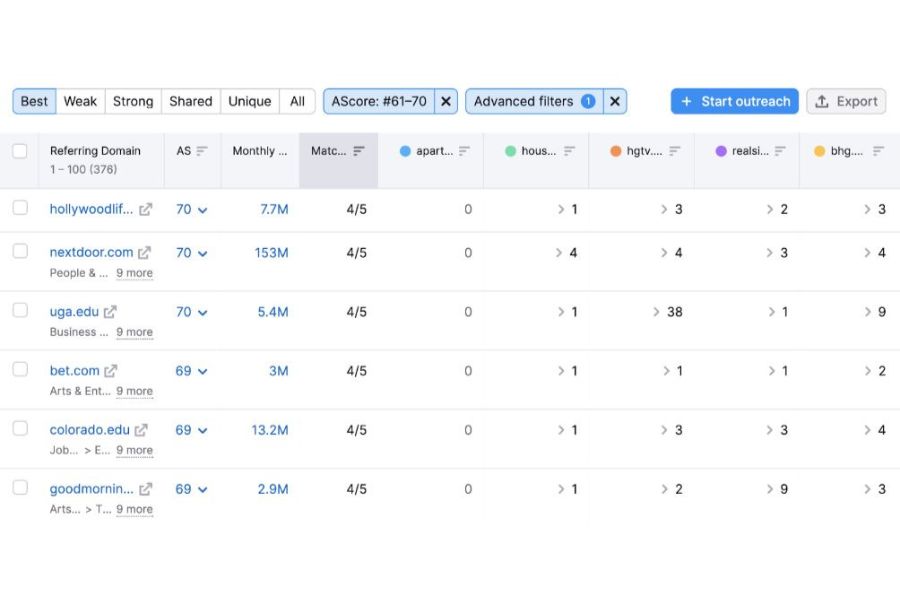
These sites have an AS of 61 to 70 in the US.
The row will open if you click the “>” symbol next to a number. It will show you a list of the pages linking to the competitor’s website.
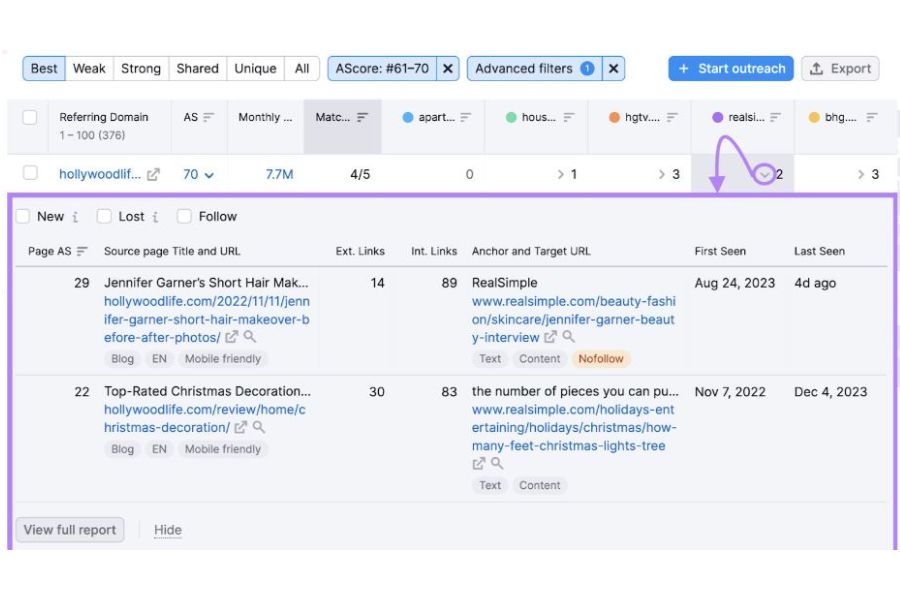
Hit the ‘>’ symbol to see a list of pages linking to your competitor’s website.
Check out these pages to see what they discuss and which page they’re linking to for content ideas to do backlinks. Before moving on, check the “Weak” and “Unique” tabs.
“Weak” websites link to you and your competitors, but they link to them more than to you.
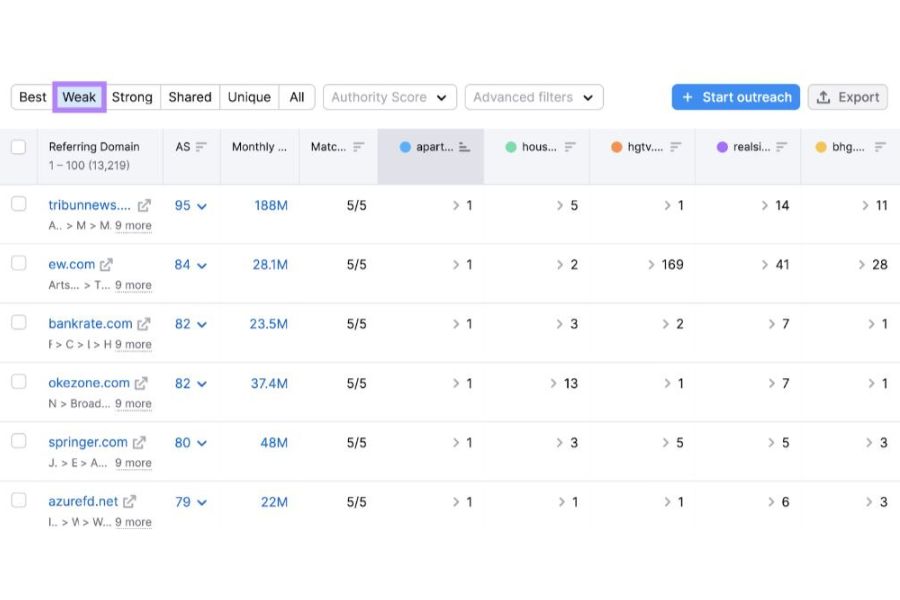
The ‘Weak’ tab shows sites linking more to your competitors than you.
With this report, you can make your current relationships better.
If you find some of your current relationships in the Weak section, you can offer them a chance to partner more closely. This way, they might let you put more backlinks on their site.
“Unique” pages only relate to one of the sites you looked at. It could be yours or your competitor’s.
Getting backlinks on Unique pages can give you an edge over competitors without this site’s backlinks.
Step #4: Pick Websites For Your Link Building
When you find websites you want to contact, pick them from the list.

Bookmark the pages you want to reach.
Then, tab “Start outreach” to save the picked prospects.

Save your selected pages by hitting ‘Start outreach.’
In the “Pick project” part, select the websites you want to link with.
Then, press “Save prospects” to keep them in the Link Building Tool.

Send your prospect to the Link Building tool.
After saving the prospects, you can decide whether to use the Link-Building Tool or continue analyzing backlinks.
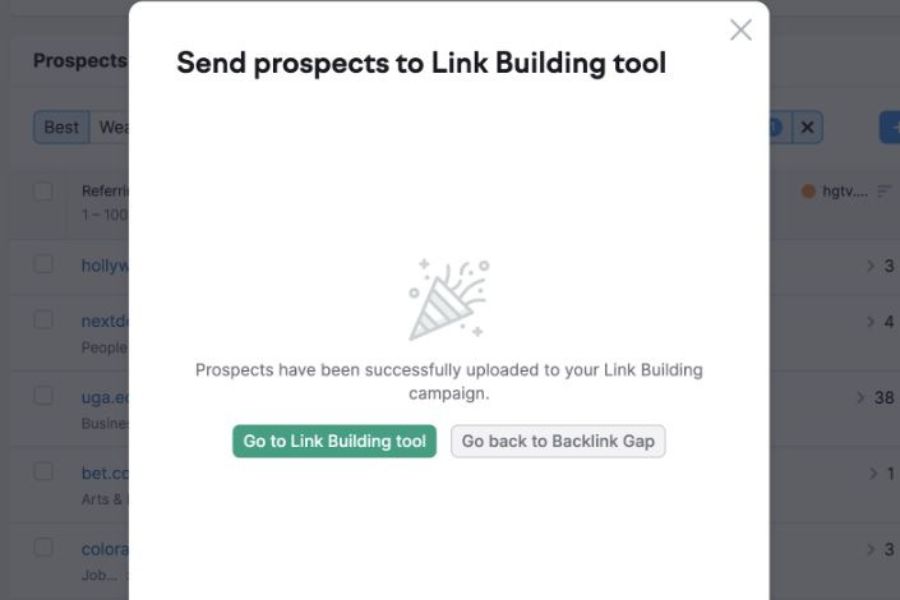
You have successfully saved your prospects.
Press “Go back to Backlink Gap.” Then, do the same thing again until you check all the essential tabs: Best, Weak, and Unique.
How To Enhance Your Link-Building?
Now that you know how to check competitor backlinks and find them, let’s explore how to utilize this data to enhance your link-building strategy.
1. Replace Unavailable Competitor Backlinks
Find links that don’t work on other websites to replace broken competitor backlinks. Then, offer those websites your links instead. This approach can help you get ahead and bring more people to your site over time.
Ensure your site has excellent content that could replace the broken link. Reach out to the website owners with the broken links. Tell them about your content and suggest it as a replacement.
2. Stay Away From Spammy Backlinks
Avoid spammy backlinks, such as links from the wrong directories or link exchange schemes. These can damage your website’s reputation. Check your backlinks often to avoid suspicious ones.
Instead, use ethical ways to build links—partner with trustworthy bloggers and site owners. Ensure the links relate to your content and fit naturally. Use different anchor texts, and don’t overuse exact-match keywords.
3. Try Guest Posting
You’ll find good blogs that accept guest posts when you check out your competitors’ posts. Make sure they match what you want to discuss and who you want to reach. Also, make sure these blogs are well-known and respected.
Once you find the right blogs, offer to write a guest post for them. Show them why you’re a good fit and what your post will offer. This way will not only get you more links but also get your site seen by more people.
4. Strengthen Your Content
Here’s how to improve your content marketing:
- Fill in content gaps: Find topics your competitors cover that you need to cover. Make unique, high-quality content to fill those gaps and get links from good sites.
- Create better content: Look at what content gets links for your competitors. Use this information to improve your content and add essential elements.
- Promote your content: Find where your competitors share their content. Use those places to share yours, too.
- Observe your competitors: Stay current with what’s happening in your industry. Use this information to strengthen your content strategy.
Don’t just copy your competitors. Use what you learn to make your great content. Remember, good content gets links. Offer even better content to bloggers so they’ll link to you instead of your competitors.
Frequently Asked Questions
- What Are Competitor Backlink Sites?
Competitor backlink sites are domains linking to your competitors but not to you. Competitor backlinking is an SEO tactic in which you study and copy the backlinks of other websites to boost your online presence.
- What Are Competitors’ Backlinks Gap Analysis?
Competitors backlinks gap analysis aims to find your competitors’ links and opportunities to get more links.
- How To Find Backlinks Of Competitors?
You can use analysis tools like Moz, Ahrefs, or SEMrush to know which websites link to your competitors’ sites. This data can help you decide whether to contact those sites for promotion.