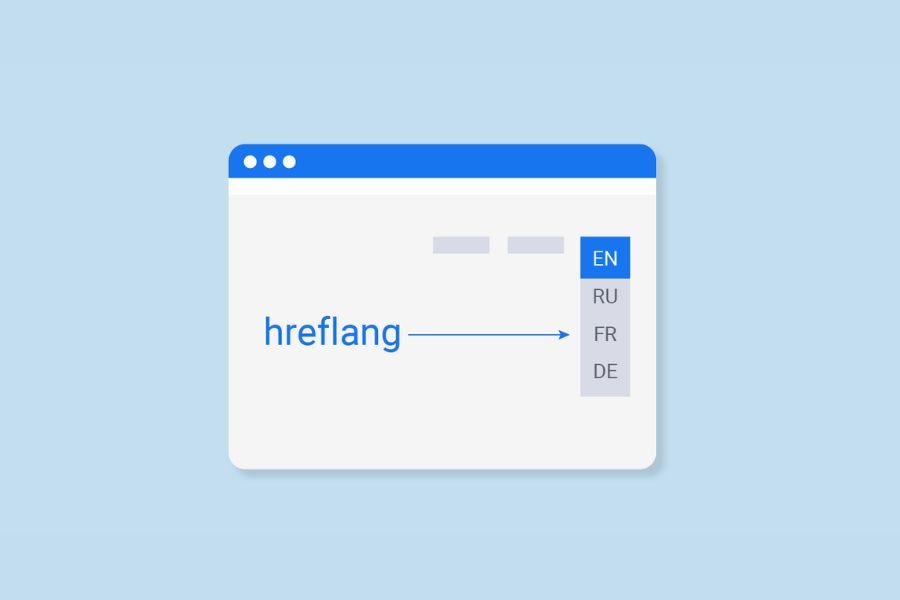
Hreflang Tags: Definition, Importance, and How To Implement
Hreflang tags are crucial for websites with content in multiple languages. Due to their technical complexity, many consider these tags one of the most intricate aspects of SEO.
This guide will walk you through everything about this attribute, from the basic concept to implementing and troubleshooting common issues.
What Is Hreflang?
The hreflang tags are an HTML attribute that indicates a web page’s language and targeted region. Google introduced this tag in December 2011 to help web admins showcase the relationship between web pages in different languages.
For example, this is the result when you access the Microsoft website in the US.
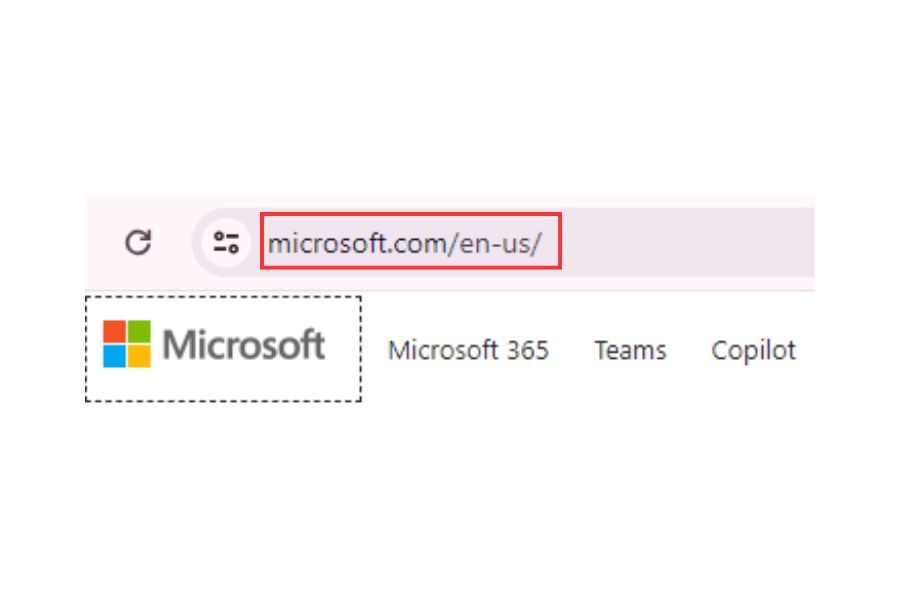
Access the Microsoft website in the US.
However, the displayed result will differ if you visit the same site in French:
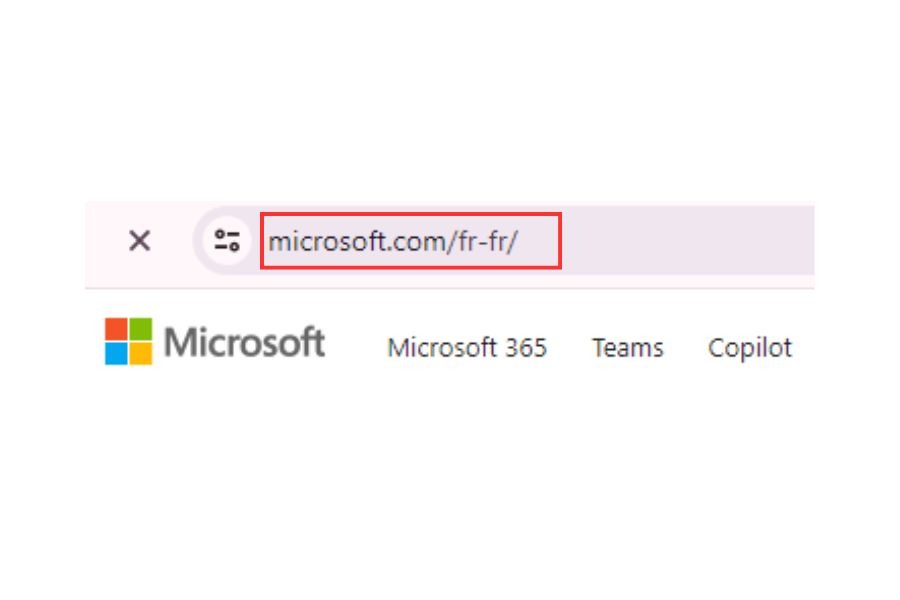
Access the Microsoft website in French
The proper implementation of the hreflang attribute facilitates this seamless localization.
Here are some situations where Google recommends using hreflang alternate pages:
- Your website’s primary content is in one language, but you translate only the template, like navigation and footer elements (e.g., forums)
- Your website’s content has minor regional differences within a single language. For instance, you have English content tailored for the US, GB, and Ireland.
- Your site has fully translated content in multiple languages, such as Vietnamese and English versions of each page.
What Does a Hreflang Tag Look Like?
Typically, hreflang follows this simple structure:
<link rel="alternate" href="url_of_page" hreflang="lang_code" />Here’s what each part of the syntax means:
| Syntax | Meaning |
| link rel=”alternate” | Indicate that the link in this tag is an alternate version of the current page. |
| href=”url_of_page” | Specify the URL where to find the alternate page. |
| hreflang=”lang_code” | Identify the language of the alternate page. |
For instance, look at this attribute:
<link rel="alternate" href="https://currentpage.com/page" hreflang="vi" />This code tells search engines, like Google, that an alternate version of the current page is available in Vietnamese. Let’s say a user’s browser or search settings indicate that they prefer Vietnamese content. The search engine will show them this Vietnamese version of the page in search results.
Hreflang isn’t just for different languages but also for variations within the same language.
Website owners can target their user groups more precisely by extending the hreflang attribute with annotations like “es-es” for Spain or “es-mx” for Mexico. This practice helps them geotarget users, considering differences in currency, shipping, seasonality, and culture.

The differences in currency for different geotarget users
Learn more: What Is Technical SEO? A Deep Dive Into SEO Factors
Why Is Hreflang SEO Important For Your SEO?
Once you know “what is hreflang?” another question arises: “What are the benefits of hreflang?”. These tags are crucial for many reasons:
- Enhance page performance and user experience
Tailoring content to the native language of search engine users enhances their browsing experience. Also, it results in lower bounce rates, higher dwell time, increased time on page, and other positive indicators that can influence SEO and rankings.
- Improve your website’s ranking
Gary Illyes, an Analyst on the Google Search team, stated that hreflang tags directly impact on Google search rankings because pages within a hreflang cluster share each other’s ranking signals.
While the most relevant page for a user determines the ranking position, all pages in the cluster contribute to this decision.
Hreflang Q&A with Gary Illyes from Google
- Address the duplicate content issues
Imagine you have two versions of a page targeting different regions with a few language variations. Google might consider them duplicate content and index only one version. In this case, alternate hreflang tags signal to search engines that while the content may be similar, it serves distinct linguistic and regional purposes.
Each search engine has a different approach to this attribute:
- Google and Yandex use hreflang tags to determine which web page version is most relevant to users.
- Bing considers hreflang a minor factor and primarily relies on the content-language HTML attribute, links, and user demographics to determine language preferences.
- Baidu doesn’t recognize hreflang tags and relies solely on the HTML attribute of the content language.
Contact ROI experts for further recommendations on how to implement hreflang tags properly.
4 Basic Rules Of Hreflang Tag Implementation
Regardless of the implementation method you choose, there are four basic rules that you should always keep in mind.
Rule #1: Self-Referential Attributes
According to Google, each language version of a webpage should include a self-referential hreflang tag, meaning it should point back to itself.

How self-referential hreflang works
For example, if you’re linking an English page (https://yourwebsite.com/hello) to a Vietnamese page (https://yourwebsite.com/chao), both pages should have these hreflang tags:
<link rel="alternate" href="https://yourwebsite.com/vi/chao" hreflang="vi" /><link rel="alternate" href="https://yourwebsite.com/en/hello" hreflang="en" />The first tag indicates the URL of the alternate Vietnamese version, and the second is a self-referencing tag pointing back to the English page.
Google’s senior search analyst, John Mueller, stated that self-referential hreflang tags are optional. However, they’re still considered good practice, so we recommend using them.
Learn more: 10+ Important Google Algorithms That SEOers Must Know
Rule #2: Bidirectional Attributes
Hreflang tags function in pairs. Thus, each page must reciprocate with a corresponding hreflang tag pointing back to the original page. This mutual linking demonstrates to search engines that both pages acknowledge their relationship.

How to implement hreflang tags properly
To make it clear, this is similar to setting a relationship status on social media. You can declare a connection with anyone, but the relationship is only acknowledged if they reciprocate.
Search results may display the wrong page for the corresponding URLs if you don’t ensure the reciprocal relationship.
Rule #3: X-Default Tags
The x-default hreflang value tells Google that a page is the default option for users who don’t have a specific language or location preference. While it’s optional, Google recommends website owners use it:
<link rel="alternate" href="https://yourwebsite.com/" hreflang="x-default" />Webmasters also use the “x-default” value for home pages that change content based on a user’s location or language settings. It signals to Google that these pages don’t target a specific language or location.

X-default tags
Here is how Google decides which version to display to an English-speaking user in a non-English-speaking country:
- It seeks a language-country match (e.g., en-es in Spain) and returns that page if available.
- If not found, it looks for a language code match (e.g., en-us), regardless of the country code.
- If neither match is found, Google will display the x-default version.
Rule #4: Catchall URLs
When website owners generate multiple alternate URLs targeted at users speaking the same language but in different locations, including a catchall URL for users whose location is not specified is beneficial.
Let’s say you have specific URLs tailored for English speakers in India (en-in), Canada (en-ca), and Australia (en-au).
In addition to these specific URLs, you should provide a generic English (en) version for searchers in the UK, US, and all other English-speaking locations. This generic English page can be one of the specific pages above, or you can create a separate one.
The catchall URLs ensure that users from various English-speaking regions have access to relevant content, improving their overall experience on your site.
3 Ways To Implement A Hreflang Tag
There are different methods to implement hreflang tags:
- In the HTML head of the page.
- In the HTTP header for non-HTML files.
- Within the XML sitemap.
Google considers all three methods equivalent, so you can choose the one that best suits your site’s conditions. While it’s possible to use all three methods simultaneously, there’s no advantage in terms of search performance. Conversely, managing three implementations can be more challenging than sticking to just one.
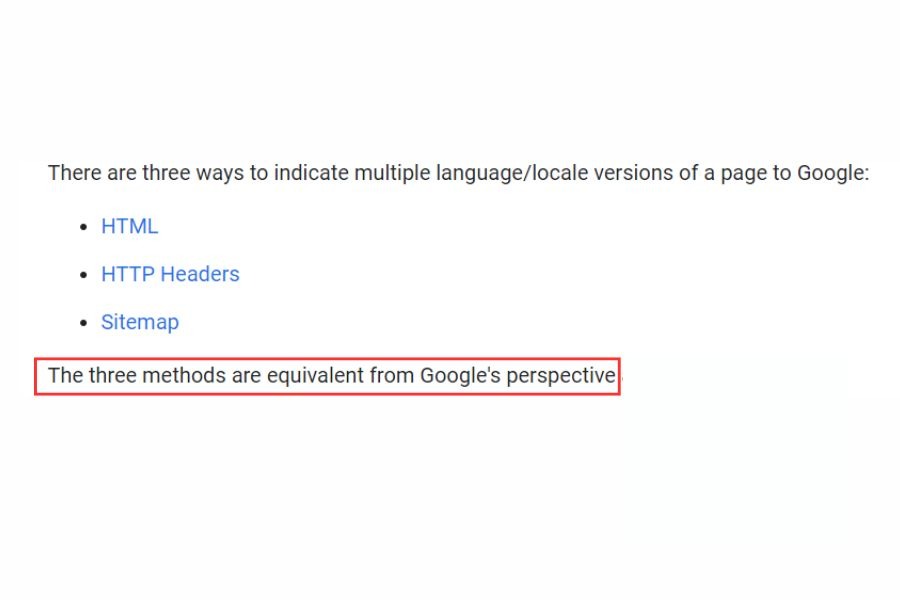
Google considers all three methods to be equivalent.
Let’s dive further and see how to properly use the hreflang alternate tag.
1. In The HTML
The simplest way to specify alternate pages is by adding hreflang attributes directly into the HTML code of each page. Typically, web admins do this in the <head> section. This method is beneficial if you cannot use a sitemap or specify HTTP response headers for your site.
For each page version, include a set of <link> elements in the <head> section, with one link for each page variant, including itself. Use the following syntax:
<link rel="alternate" href="url_of_page" hreflang="lang_code" />There are several things to follow:
- Ensure that the set of links is identical for every page version.
- Ensure the <link> tags are inside the <head> section, ideally at the beginning.
- Avoid putting <link> tags after elements like <p> or tracking pixels.
Remember, this method can become messy and time-consuming, especially with multiple translations. For every translated article, you need to add a new hreflang tag to each version manually.
For example, ROI Digitally, Inc. has a website catering to USA, Australia, and Vietnam users. Their URLs feature regional variations but contain similar content.
| URL | Description |
https://en.roidigitally.com/page.html | Generic English language home page detailing international shipping fees from the USA. |
https://en-us.roidigitally.com/page.html | US home page displaying prices in US dollars. |
https://en-au.roidigitally.com/page.html | English language home page for Australia users. |
https://vi.roidigitally.com/page.html | Vietnamese language home page. |
https://www.roidigitally.com/ | Default page with no language or locale targeting, offering language and region selection options |
Here’s the HTML code that would be in the <head> section of all these pages:
<head>
<title>ROI Digitally, Inc</title>
<link rel="alternate" hreflang="en-us" href="https://en-us.roidigitally.com/page.html" /><link rel="alternate" hreflang="en" href="https://en.roidigitally.com/page.html" /><link rel="alternate" hreflang="vi" href="https://vi.roidigitally.com/page.html" /><link rel="alternate" hreflang="x-default" href="https://www.roidigitally.com/" /></head>
This code directs users from the US and UK, generic English speakers, and German speakers to their localized pages. For all other users, it points to a generic home page. This HTML code helps Google Search return the appropriate result based on the user’s browser settings.
Consider using a support tool like Aleyda Solis’ hreflang generator to create or edit hreflang tags in HTML.
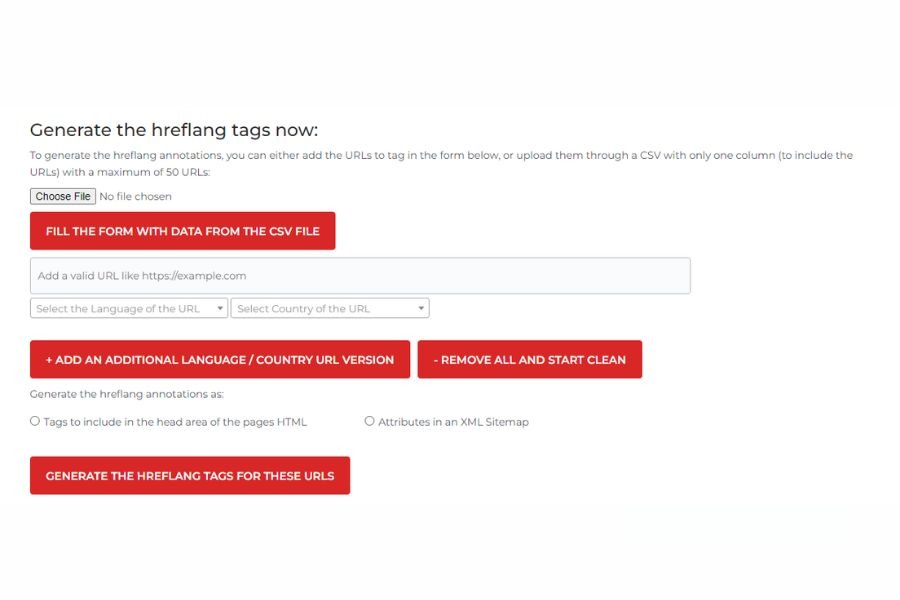
How Aleyda Solis’ hreflang generator works
Here’s how to use it:
- Step 1: Input each article version’s URL, language, and country.
- Step 2: Select “Tags to include in the head area of the pages HTML.”
- Step 3: Click on “GENERATE THE HREFLANG TAGS FOR THESE URLS.”
- Step 4: Copy and paste the generated code into each page’s <head> tag.
2. In HTTP Header
HTTP headers help implement hreflang attributes, especially for non-HTML content like PDFs. They contain information about the date of the request, referrer, preferred language, and more.
Website owners can also use this method for HTML content. However, it can increase server requests significantly. Thus, we recommend using it only when necessary. The structure of the header in HTTP looks like this:
Link: <url 1>; rel=”alternate”; hreflang=”language code 1″,
<url 2>; rel=”alternate”; hreflang=”language code 2″, …
Here’s what the syntax means:
| Syntax | Meaning |
| <url x> | The URL of the alternate page related to the locale assigned to the hreflang attribute. It must include surrounding < and > marks. |
| <lang_code_x> | The language or region code targeted by this webpage. |
You must specify a list of <url>, rel=”alternate,” and hreflang values for every page version, including itself, separated by commas.
For example, if you have a PDF document in English, Spanish, and Portuguese, your HTTP header should look like this (for each file):
Link: <https://example.com/doc.pdf>; rel="alternate"; hreflang="en",
<https://example.com/es/doc.pdf>; rel="alternate"; hreflang="es",
<https://example.com/pt/doc.pdf>; rel="alternate"; hreflang="pt"
3. In Your XML Sitemap
The third location where you can input hreflang SEO tags is through your XML sitemap.
An XML sitemap is a file that tells search engines about your site’s pages, including language and region variants.

XML Sitemap
This method has a significant benefit – you can update all hreflang attributes in one place, avoiding the complication of managing multiple files.
To begin, add a <loc> element for each URL in your sitemap. Then, include <xhtml:link> entries for every language and region version of the page, including itself.
Follow these sitemap rules for proper hreflang implementation on your XML sitemap:
- Specify the xhtml namespace in your XML sitemap like this:
xmlns:xhtml=”http://www.w3.org/1999/xhtml”
- Craft a separate <url> element for each URL, as with any other sitemap.
- Each <url> element must contain a <loc> child indicating the page URL.
- For each <url> element, include a child element <xhtml:link rel=”alternate” hreflang=”supported_language-code”> listing every alternate version of the page, including itself.
- A sitemap can only contain descendant URLs of the directory where the sitemap is hosted.
For instance, you have different page versions to target different user groups:
- “www.example.com/english/page.html” targets English speakers worldwide.
- “www.example.de/deutsch/page.html” targets German speakers worldwide.
- “www.example.de/schweiz-deutsch/page.html” targets German speakers in Switzerland.
Then, you can use this XML sitemap for those three pages:
<?xml version=”1.0″ encoding=”UTF-8″?>
<urlset xmlns=”http://www.sitemaps.org/schemas/sitemap/0.9″
xmlns:xhtml=”http://www.w3.org/1999/xhtml”>
<url>
<loc>https://www.example.com/english/page.html</loc><xhtml:link
rel=”alternate”
hreflang=”de”
#"/><xhtml:link
rel=”alternate”
hreflang=”de-ch”
href="#"/><xhtml:link
rel=”alternate”
hreflang=”en”
href="https://www.example.com/english/page.html"/></url>
<url>
<loc>https://www.example.de/deutsch/page.html</loc>
<xhtml:link
rel=”alternate”
hreflang=”de”
#"/><xhtml:link
rel=”alternate”
hreflang=”de-ch”
href="#"/><xhtml:link
rel=”alternate”
hreflang=”en”
href="https://www.example.com/english/page.html"/></url>
<url>
<loc>#</loc>
<xhtml:link
rel=”alternate”
hreflang=”de”
#"/><xhtml:link
rel=”alternate”
hreflang=”de-ch”
href="#"/><xhtml:link
rel=”alternate”
hreflang=”en”
href="https://www.example.com/english/page.html"/></url>
</urlset>
This sitemap specifies the URLs for each page targeting different language and region variants, along with their corresponding hreflang attributes.
Utilize the hreflang generator tool mentioned above to create or fix hreflang tags in your XML sitemap.
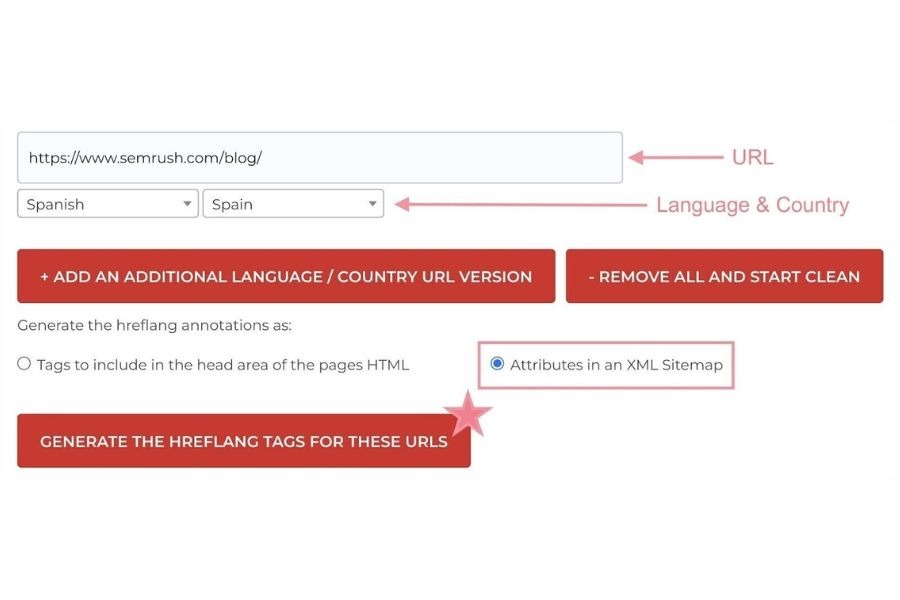
Use Aleyda Solis’s hreflang tags generator tool to generate the hreflang attributes in the XML sitemap.
Pro tip: Make it easy to implement hreflang tags with our automated sitemap generation service. We ensure your website’s layout is clearly presented, helping search engines like Google crawl and index your pages more efficiently.
How To Find And Fix Hreflang Issues
According to Ahref’s analysis of 374,756 domains, 67% have at least one issue, including:
- Invalid hreflang annotation
- Missing self-reference hreflang annotation
- Multiple languages in hreflang attributes
- Lacking reciprocal hreflang
- Mismatching hreflang and HTML lang
- Hreflang to non-canonical
- Hreflang to a broken page
- Missing X-default hreflang annotation
- Multiple pages for the same language in hreflang
Let’s dive further and see how to deal with these issues.
Issue #1: Invalid Hreflang Annotation
A problem arises when one or more URLs contain hreflang tags with invalid language or locale codes.
Reason:
Search engines disregard invalid hreflang tags, so this issue potentially causes them to overlook alternative versions of your page. As a result, it prevents search engines from displaying the most relevant version of your page to users and negatively impacts SEO.
Solution:
- Review the affected page using the Ahref audit tool.
- Scroll to the “Is valid hreflang” column to find invalid hreflang tags.
- Replace these tags with hreflang tags that use valid language and language-location code formats.
Issue #2: Missing Self-Reference Hreflang Annotation
This issue happens when a self-referencing hreflang tag is missing from one or more pages.

Self-reference hreflang annotation missing issue
Reason:
As mentioned above, Google demands that each language version include a self-referencing hreflang tag along with all other versions. Otherwise, your website may face indexing and visibility issues.
Solution:
- Audit the affected pages using Merkle SEO hreflang tag testing tool or SEMrush’s Site Audit tool.
- Ensure each page includes a self-referencing hreflang tag alongside other language versions.
- Add self-referencing hreflang tags for incomplete versions.
Learn more: Ahrefs Vs Majestic: How To Choose The Right Tool For SEO Strategies
Issue #3: Multiple Languages in Hreflang Attributes
This problem occurs when you reference a URL for two or more languages in hreflang annotations like this:

Page referenced for two languages at the same time
Reason:
Google requires associating a page’s content with only one language or language location. Conflicting references can confuse search engines and lead them to ignore all hreflang attributes related to the page.
Solution:
- Review the affected pages.
- Check the URLs referenced in the hreflang attributes for errors.
- Remove any incorrect hreflang attributes to ensure that each language has only one accurate reference per page.
Issue #4: Lacking Reciprocal Hreflang
This issue arises when return links are absent for the pages declared in hreflang annotations. In other words, page A links to page B in hreflang annotations, but page B does not reciprocally link to page A.
Reason:
The absence of such return links can hinder the effectiveness of hreflang implementation.
Solution:
- Access Google Search Console and open the International Targeting report.
- Navigate to the “Language” tab and identify highlighted missing return tags.

Find missing return tags using Google Search Console
Pro tip: You can also use this report to detect issues involving nonexistent language or language+country codes.
Issue #5: Mismatching Hreflang and HTML Lang
The issue occurs when the declared hreflang and the HTML language attribute differ for one or more URLs.
Reason:
While Google doesn’t rely on HTML language attributes, other search engines and browsers do. Inconsistency between these attributes may lead to improper indexing and rendering across different platforms.
Solution:
- Review the affected pages.
- Once you identify inconsistencies, modify the HTML language attribute to align with the declared hreflang attribute.
Issue #6: Hreflang To Non-Canonical
This problem arises when one or more pages reference a non-canonical URL in their hreflang tags.

Finding hreflang to non-canonical issue
Reason:
The hreflang attribute tells search engines to display a translated or localized version of a page. However, if the rel=“canonical” attribute indicates it is not the authoritative version, conflicts happen and may confuse search engines.
Solution:
- Review the affected pages to find issues referencing non-canonical URLs in hreflang tags.
- Adjust the hreflang annotations to point only to canonical URLs.
Learn more: Keyword Cannibalization: How to Find, Fix, and Prevent It
Issue #7: Hreflang To A Broken Page
This problem occurs when one or more pages reference broken URLs in their hreflang annotations.
Reason:
No search engines can display content that doesn’t exist. Therefore, they are likely to ignore hreflang attributes pointing to dead pages.
Solution:
- Review the affected pages.
- Update the hreflang annotations to ensure they link to functioning pages.
Issue #8: Missing X-Default Hreflang Annotation
This problem arises when a page does not have an x-default hreflang annotation. In fact, 56.3% of domains have pages missing x-default.
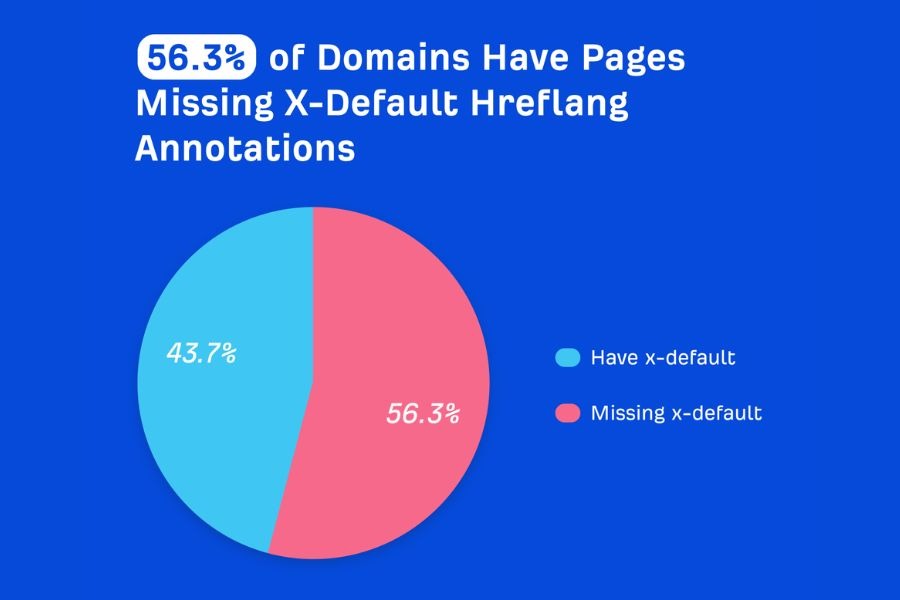
The staggering number of pages missing x-default
Reason:
While x-default hreflang attributes are not mandatory, adding x-default tags for all hreflang annotations is one of the best SEO practices.
Solution:
1. Review the affected pages.
2. Ensure that each page includes an “x-default” hreflang attribute.
3. Verify that the x-default attribute points to a page not specific to any particular language or region.
Issue #9: Multiple Pages For The Same Language In Hreflang
The problem occurs when one or more URLs reference two or more web pages for the same language (or language location) in their hreflang annotations.
Reason:
Including multiple pages for the same language (or language location) in hreflang annotations confuses search engines. As a result, Google may misinterpret or disregard these directives.
Solution:
1. Review the affected pages.
2. Remove redundant hreflang annotations so that only one page is referenced for each language or language location.
Conclusion
To stay updated on hreflang issues, we recommend scheduling regular crawls, such as daily, weekly, or monthly. Remember, managing hreflang can be simple and efficient. Here are the essential tips:
- Stay organized: Keep track of your hreflang implementations and any changes.
- Automate where possible: Use tools and scripts to streamline the process.
- Stay vigilant: Monitor for any issues that may arise.
- Act swiftly: Promptly fix any identified issues to ensure optimal performance.
Have any questions? Feel free to contact us and get an explanation.
Frequently Asked Questions
- What is a hreflang tag in HTML?
The hreflang tags are an HTML attribute that indicates a web page’s language and targeted region. They signal to search engines the relationship between web pages in different languages.
- Where is the location of hreflang?
You can put the hreflang attributes in 3 different locations:
- HTML
- HTTP header
- XML Sitemap