Benefits of Social Media Schedulers
Social media platforms offer basic scheduling and publishing features. However, if you want to maintain a consistent online presence, social media scheduling tools are a must. Here are why:
- Manage Time Better: Schedulers enable you to create and schedule content in designated blocks rather than manually doing it every day.
- Minimize Mistakes: They reduce common mistakes like accidental posts, inconsistencies, unapproved sensitive information disclosure, etc.
- Ensure Optimal Timing: Schedulers suggest the best time to post content based on your user activities to maximize reach.
- Collaborate: Anyone within your organization can have the authority to access and directly discuss these dashboards.
How To Choose The Best Social Media Scheduler?
If you’re wondering how to select a suitable social media scheduling tool for your team, here are 5 key features you should look out for:
1. Content Calendar
A content calendar is the backbone of any scheduling tool, allowing users to visualize how content is planned and organized throughout the week and even a month. It also tracks the post status, whether it is scheduled, published, or pending.

A content calendar
2. Collaboration Tools
An ideal multi-purpose social media planner optimizes teams’ working processes by allowing members to communicate directly on a shared dashboard, provide feedback, and suggest edits directly alongside the relevant assets.
The external sharing feature is also helpful, particularly for agencies managing client accounts. It should be a standard inclusion in social media management software for agencies.
3. Automatic Posting

A Facebook auto-post tool
Advanced tools may offer multi-layered approvals and automatic posting after final approval. This feature dramatically fastens workflows for both in-house and external teams.
4. Cost-Effectiveness
Finally, cost-effectiveness should be a consideration when investing in social media scheduling software. The pricing for these tools can vary widely depending on the features, ranging from as low as $13 per month to over $120/month.
You should consider not just the cost but also the value and return on investment (ROI). Higher-priced options often provide more advanced features and support to enhance efficiency and outcomes.
7+ Best Social Media Scheduling Tools
After evaluating numerous social media scheduling tools on the market, we want to share the best options with our readers.
| Tool | Highlights | Pricing |
| Planable | 150 posts/ workspace 3 types of approval Feed, Calendar, Grid & List views Analytics add-on available | 2 months free. Plans start from $11/month. |
| Hootsuite | Up to 50 social accounts Best time to post recommendations Custom analytics and reports Listening Basics | 30 days free. Plans start from $11/month. |
| Later | Up to 15 social sets Full analytics (up to 1 year of data) 100 credits for AI features CSAT and NPS surveys | 4 months free. Plans start from $25/month. |
| Sprout Social | Unlimited social profiles CSAT and NPS surveys Professional consulting services Sentiment in the Smart Inbox and Reviews | 30 days free. Plans start from $199/month |
| HubSpot | Bulk upload and scheduling AI-powered social post generator CRM integration | Free tools for individuals. Plans start from $20/month |
| Buffer | Social Sentiment Analysis Shopify integration AI assistant for post repurposing Custom access & permissions | Offering a free plan. Plans start from $6/month |
| Sendible | Up to 50 users and 300 social profiles Bulk scheduling Optimal engagement times Integration with Canva and Pexels | 14 days free. Plans start from $29/month |
Let’s dive further into each tool to see which suits you the best.
1. Planable
If you search for the keyword “social media scheduler free,” Planable will appear in the top results on SERPs. It stands out for its rich visual collaboration interface and multi-level approval workflows.
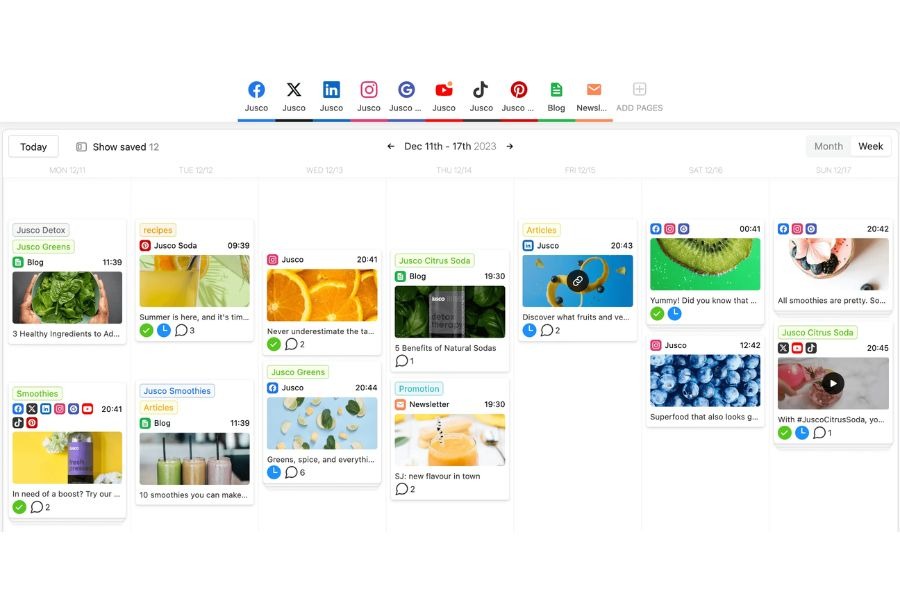
Planable’s rich visual content calendar
Key Features:
- Streamlined planning, approving, and scheduling content process up to 6x faster than traditional methods.
- A shared space for teams and clients to collaborate effectively.
- A convenient sync on/off option to draft Instagram posts, LinkedIn updates, or Pinterest pins simultaneously.
- Integrating with 4 social media platforms (Facebook, Instagram, X, and LinkedIn)
Drawbacks:
- Unable to analyze page mention metric.
Pricing: From $11/month
2. Hootsuite
What is the best social media content planner? Many senior marketers would choose Hootsuite, a pioneer in the social media management market. The platform caters to teams of all sizes, offering cost-effective essential tools as well as enterprise-level options.

Hootsuite’s content planning dashboard
Key features:
- A comprehensive suite of scheduling functions, from simple auto-posting to bulk scheduling.
- Custom recommendations on optimal posting times based on your user’s active hours.
- Customize posts for 7 different social platforms from one screen.
- In-depth social media page metrics and offer an advanced AI post-writer.
Drawbacks:
- Subscription plans with limited social accounts and scheduling features.
Pricing: From $99/month
3. Later
Initially, Later began as a scheduling tool exclusively for Instagram. Since then, it has expanded to integrate with more social networks, including Facebook, TikTok, LinkedIn, Pinterest, and YouTube.

Later’s unique drag-and-drop post-scheduling feature
Key features:
- Drag-and-drop post-scheduling and the Link in bio feature.
- Ability to seamlessly collaborate with creators within a single social media scheduling software.
- Bulk scheduling and auto-publishing across channels.
- A visual drag-and-drop content calendar and an Instagram feed planner.
Drawbacks:
- Limited features in the free plan.
- Lack of integration with popular tools such as Canva.
Pricing: From $18/month
4. Sprout Social
Sprout Social stands out from competitors due to its robust analytics, comprehensive social listening capabilities, and integration with various social networks.

Sprout Social’s content planning dashboard
Key features:
- Trend analysis for X keywords and hashtags
- CSAT and NPS surveys
- In-depth social analytics on campaigns and competitor analysis.
- A digital library to schedule posts for image-focused platforms.
- A unified inbox to receive messages from all social channels.
Drawbacks:
- Costly pricing plans compared to other tools.
- Need to provide decent customer support.
Pricing: From $199/month
5. HubSpot
While HubSpot is renowned as a customer relationship management (CRM) platform, it is also one of the best social media scheduling tools.

HubSpot’s social media management feature
Key features:
- Time-saving features, such as bulk upload and scheduling up to 300 posts.
- Comprehensive analytics to track the performance of different platforms and campaigns.
- Integrating an AI-powered social post generator helps draft and publish content efficiently.
- A free plan with the necessary features along with other SEO tools.
- Integrating with your CRM and report on social media marketing ROI.
Drawbacks:
- Limit social media platform integrations.
Pricing: From $20/month
6. Buffer
Buffer’s key feature is Social Sentiment Analysis, an automated tool that evaluates your brand’s emotional tone behind social media conversations.
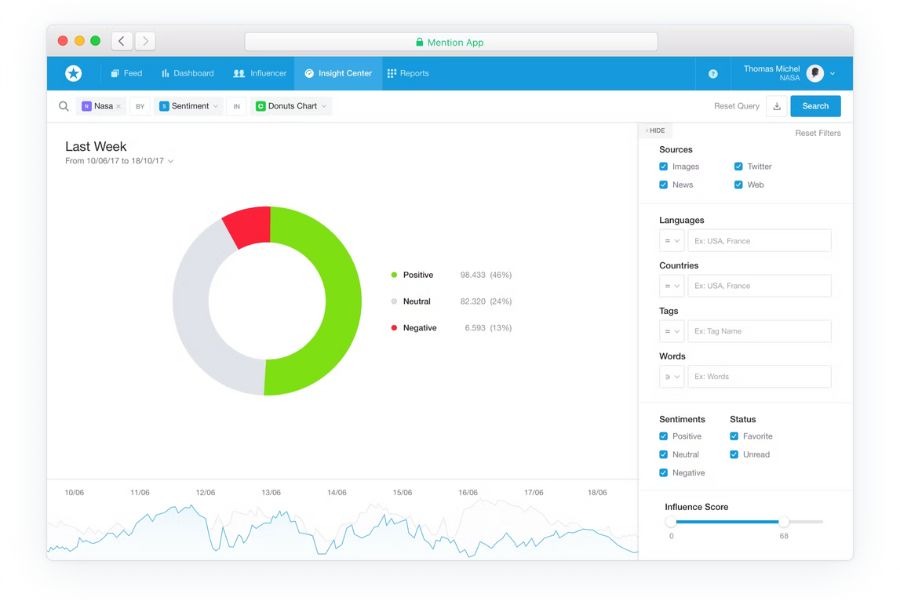
Buffer’s Social Sentiment Analysis
Besides, the platform’s integration with Shopify is especially beneficial for eCommerce businesses. This synergy allows them to connect their online store with their social media strategy directly. As a result, they can simplify tracking campaign performance and sales metrics.
Key features:
- An AI assistant to generate ideas and repurpose posts quickly and effectively.
- Managing one account to handle different brands from one platform.
- A user-friendly dashboard that is suitable for beginners.
Drawbacks:
- Lack of analytics and social listening capabilities.
- Changing its pricing and features drastically.
Pricing: From $6/month
7. Canva
You’re probably already familiar with Canva as the go-to tool for design-savvy social media managers. But there is more: this user-friendly graphic design platform is a valuable social media planner app.
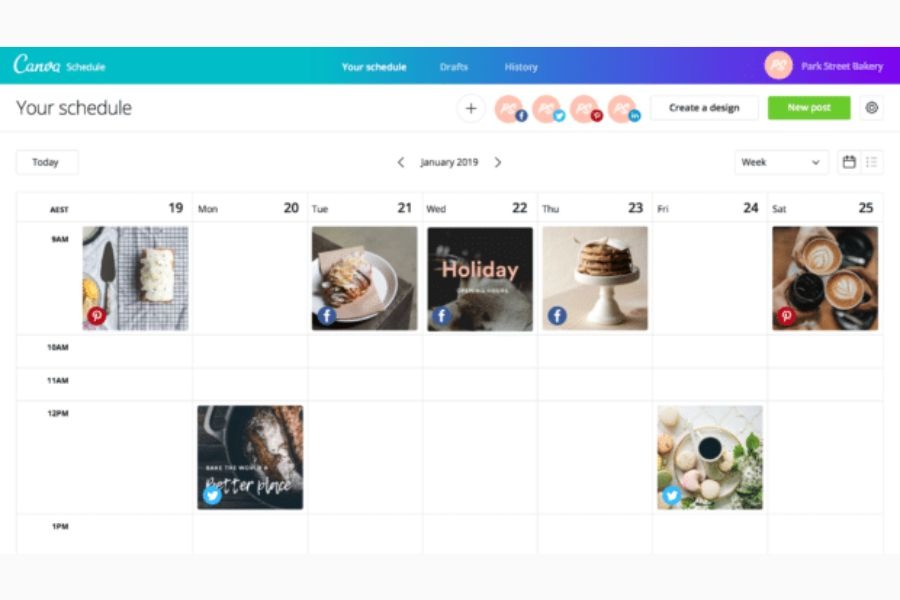
Canva is one of the top social media scheduling tools.
Key features:
- Canva Pro supports scheduling and planning on Facebook, Instagram, Twitter, and LinkedIn.
- A user-friendly dashboard allowing you to monitor engagement metrics like likes, clicks, impressions, and more to gauge your performance.
- Planning your content for optimal times, days, weeks, or months ahead.
- Click on any published post to see how your posts performed.
- Other design and content creation in the Canva Pro bundle.
Drawbacks:
- Lack of direct integration with major platforms.
Pricing: $50/month
8. Shopify Facebook & Instagram Auto Post
If you own a Shopify store, the Shopify Facebook & Instagram Auto Post app is what you need. It enables you to establish a social media calendar that automatically schedules a new or random product on your social feeds daily or on chosen days of the week.
Despite its name, this scheduling app extends its functionality to Instagram, Facebook, Twitter, and Pinterest. Watch out for how to schedule your social media posts on this platform in this video:
Key features:
- Unlimited creating, scheduling, and sending posts to social media pages.
- Posting products to your Facebook, X, Instagram, and Pinterest automatically.
- An AI-powered content creator with OpenAI and ChatGPT.
Drawbacks:
- Lack of direct integration with renowned platforms like TikTok and YouTube.
- Some users reported being billed for a paid plan package even though they did not subscribe.
Pricing: From $7.99/month
9. CoSchedule
CoSchedule is one of the leading social media scheduling tools. The best thing about this tool is its All-In-One AI Marketing Calendar, allowing you to manage the process from A-Z within a single platform. Not to mention its AI integration to help with brainstorming content ideas and suggesting optimal posting hours.
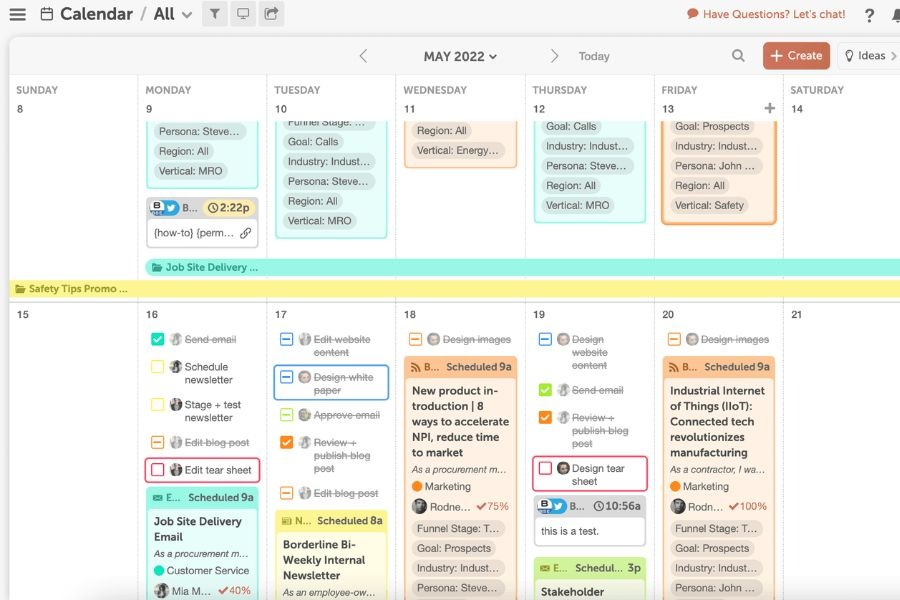
CoSchedule’s all-in-one AI marketing calendar
Key features:
- The ReQueue Bucket feature automatically recycles and schedules top-performing messages.
- The Best Time Scheduling tool helps users decide and schedule posts for maximum reach.
- The Headline Studio, powered by AI and data-driven feedback, generates optimized headlines for better engagement and SEO.
- An optimizer to adapt your caption to numerous social platforms.
Drawbacks:
- Navigation between different settings, calendars, and layouts could be simplified.
- Difficulty remembering where to update settings or how to return to a previous page.
- No bulk scheduling/uploader feature, making bulk Pinning to Pinterest harder.
Pricing: From $19/month
10. Sendible
Sendible stands out as an affordable, all-in-one social media management app. Its powerful publishing features allow you to schedule tailored posts individually, via queues, or in bulk, all overseen in a calendar view.
Sendible supports various platforms like Instagram, Facebook, TikTok, LinkedIn, Google Business Profile, YouTube, WordPress, and X. Despite its lower price point, this platform offers a similar experience to more extensive options like Hootsuite.
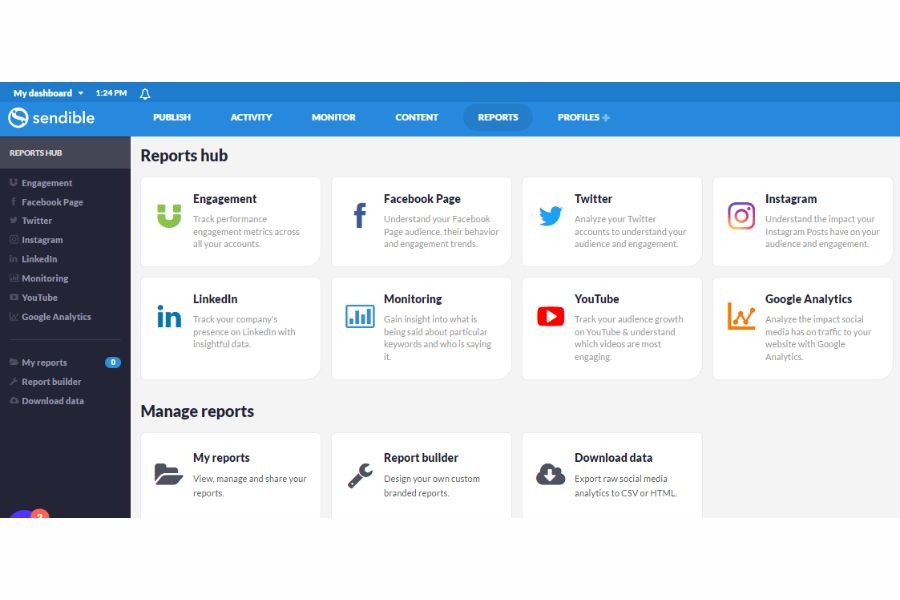
Sendible’s report hub analyzes and integrates various platforms, including GA4
Key features:
- Allowing you to check your Canva design library when creating a new post.
- Bulk scheduling of social media posts, previewing posts on each platform, and posting at optimal engagement times.
- Seamless integration with Canva and Pexels.
Drawbacks:
- Some users reported occasional failures of scheduled posts.
- Users do not receive email notifications about bounced posts.
- Issues editing scheduled posts from the mobile app—it crashes consistently.
- LinkedIn requires users to re-login via Sendible every 60-90 days, which can be tedious and occasionally forgotten.
Pricing: From $29/month
Frequently Asked Questions
Which is the best social media scheduling tool?
The answer depends on your business needs. However, the most recommended options in the market are Planable, Hootsuite, Sprout Social, Buffer, Sendible, etc.
Is there a free way to schedule social media posts?
Yes, several scheduling apps and platforms offer free trials, such as Later, HubSpot, CoSchedule, etc. You can try them without paying a penny.