
Key Takeaways
- If you’re wondering how to remove unwanted Google search results, the answer is: sometimes you can, but often you can’t. That’s why a smarter approach is to bury negative links by publishing better content that ranks higher.
- If the unwanted content lives on your own site or social media, you can remove or deindex it yourself. Even if it’s on another website, you can try reaching out to the site owner or use Google’s removal tools for personal or outdated content.
- When removal isn’t an option, you can still shape what people see by creating high-quality content, optimizing your website, and staying active on social media. This helps push negative search results lower and boosts your brand’s credibility at the same time.
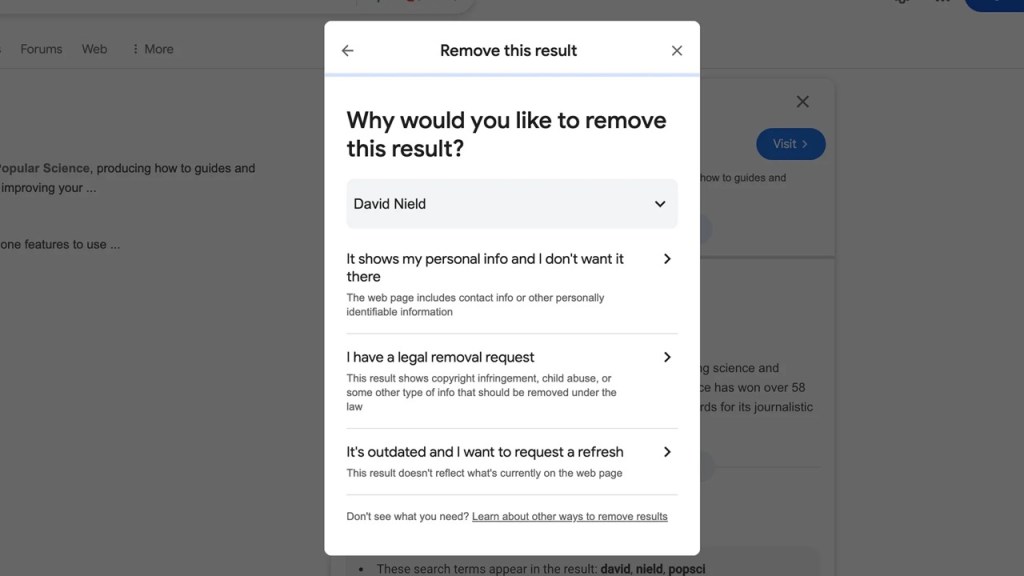
How To Remove Unwanted Results From Google Search Effectively. Source: Popular Science
Need help managing your search results and protecting your reputation?
Let ROI Digitally help you take back control with smart SEO and reputation strategies that work.
What Are Unwanted Results From Google?
Unwanted Google search results are the links or pages that appear when someone searches for your name, business, or brand, but they display something negative, outdated, or misleading.
These could be bad reviews, critical tweets, negative news articles, or even old content you wish would just disappear.
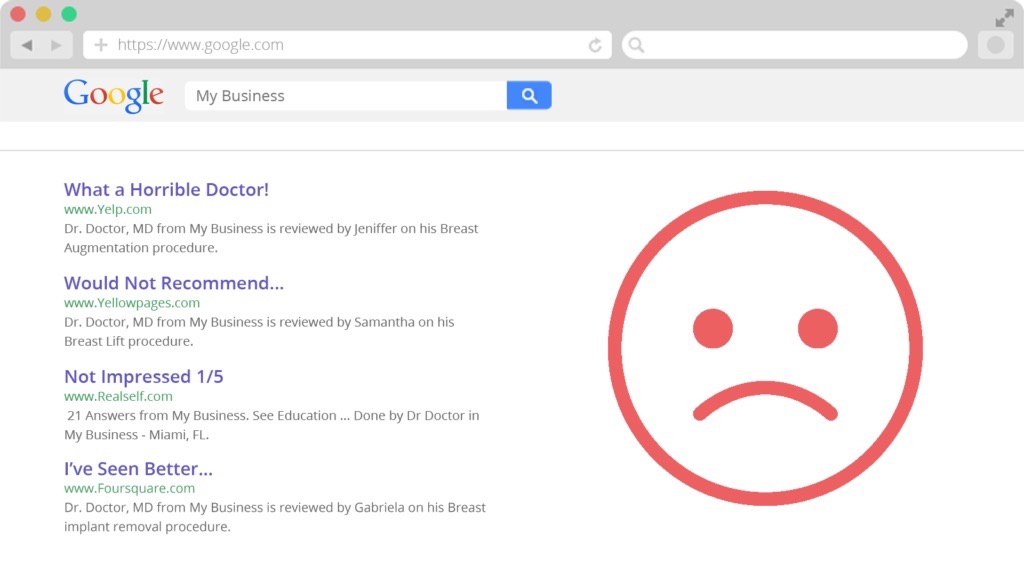
Unwanted results happen uncontrollably. Source: Reputation Resolutions
And the impact? It’s real.
Just one bad result can scare away up to 22% of potential customers. If more negative links show up, that number gets worse. Since most people Google a business before making a decision, these unwanted search results can harm your reputation, trust, and sales.
So, can you remove those links from Google? The answer is yes and no.
While Google does allow some results to be removed (this process is called deindexing), it’s not easy, especially if you don’t own the website where the content lives.
Even if you delete something from the internet, Google might still show the result unless you take extra steps to remove it from the search.
How To Remove Unwanted Results From Google Search Effectively
1. Through Google’s Online Forms
If you’re dealing with unwanted Google search results, the first step in learning how to remove unwanted Google search results is checking if the content falls under Google’s personal content policies. These include things like:
- Private or explicit images of you
- Fake pornographic content
- Porn linked to your name that has nothing to do with you
- Your info shared online (doxxing)
- Info about you on shady “pay-to-remove” sites
- Photos of minors that shouldn’t be online
If what you’re dealing with fits one of these categories, you can go straight to Google’s request removal form. It’ll walk you through a few questions to help Google understand your case, and then you can submit it for review.
For legal issues such as copyright violations, trademark infringements, or court orders, Google has a separate form for that.

Form to report content on Google. Source: CrazyEgg
After you submit, Google will send you a confirmation email. Then they’ll review your request, and sometimes they’ll ask for more info.
You’ll eventually get an email saying whether or not they’ve removed the search result. If your request is denied, don’t worry, you can try again with stronger evidence.
2. Deindex on GSC
If you’re trying to figure out how to remove unwanted Google search results, and you actually own the website or content, this step is for you.
Let’s say the content you want to remove is on a blog, personal website, or social media profile that you control. Then, you have more power to deindex it (which means removing it from Google search results without deleting the entire page).
Here’s how to do it:
Option 1: Use Google Search Console’s Removal Tool
If your website is verified in Google Search Console (GSC), you can request a temporary removal of a specific page from search results. It usually takes 24 hours to process and lasts about 6 months, giving you time to work on a more permanent fix.
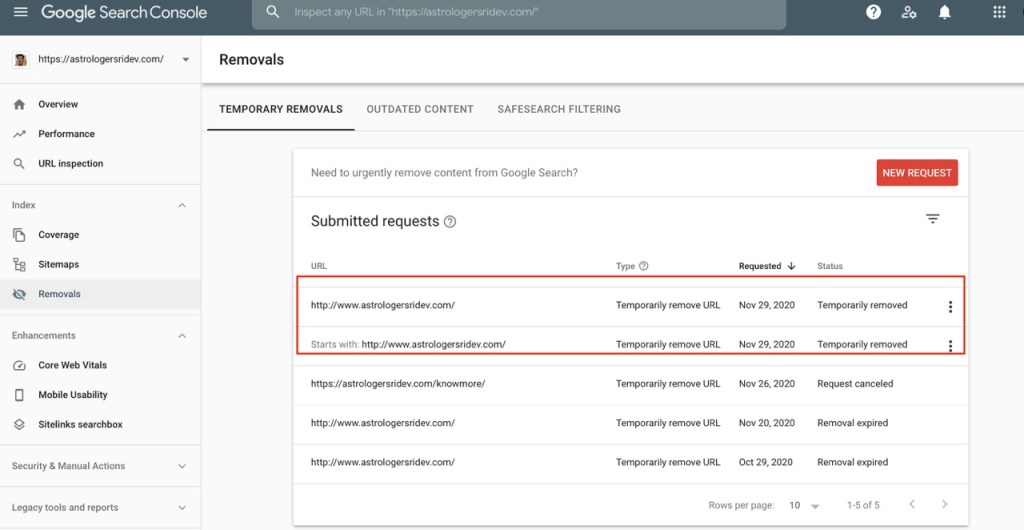
Submit a removal request on GSC. Source: Google Help
Option 2: Add a Noindex Meta Tag
This is a line of code added to the page that tells Google: “Don’t list this in search results.” It’s super effective. Next time Google crawls your page, it will quietly drop it from search.
Option 3: Block Access
Password-protecting a page or limiting its visibility can also lead to it being removed from search engine indexes. Just make sure Google can tell it’s no longer accessible.
Option 4: Use robots.txt (with caution)
This tells Google not to crawl a page, but if the page is popular or linked elsewhere, Google might ignore this. Also, if you use this file, the noindex tag won’t work. So, it’s not the best option unless you’re sure what you’re doing.
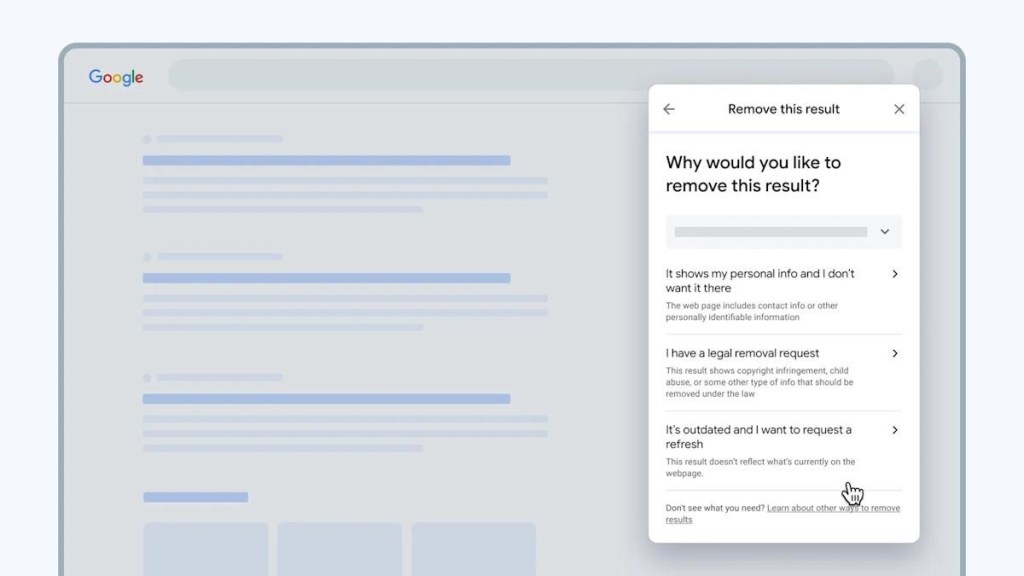
3. Submit An Individual Request
Still seeing unwanted Google search results that you don’t control? Good news, Google lets you request the removal of individual links right from the search page.
Here’s how to do it in simple steps:
For Web Results
- Google yourself or your brand and find the result you want removed.
- Click the three dots (⋯) in the top-right corner of that result.
- In the pop-up menu, click “Remove result.”
- Choose the reason why you want the result removed (e.g., outdated, personal info, etc.).
- Follow the prompts to finish the request.

Remove the result on Google search. Source: Crazy Egg
For Images
- Go to the Images tab in Google Search.
- Click on the image you want to remove.
Once it opens in preview, click the three dots in the top-right corner. - Select “Report this result.”
- Choose your reason and complete the process.
Once submitted, Google will email you a confirmation. You can also check your request status anytime on the ‘Results About You’ page. Just scroll down to see if your request is in progress, approved, denied, or pending.

Remove an image from search results. Source: Crazy Egg
If your request is denied, don’t stress! You can always resubmit with more context or proof.
This is a super helpful way to solve how to remove unwanted Google search results one by one, especially when you’re dealing with older or irrelevant content that is no longer accurate or fair.
4. Remove On Social Media
When it comes to unwanted Google search results, don’t underestimate the power of your social media. A lot of what shows up in search is content you posted on platforms like Facebook, Instagram, X (formerly Twitter), LinkedIn, or even old blogs.
Let’s see how to remove unwanted Google search results by taking control of your social media:
Delete Old Content
If there are posts, photos, or even full accounts that you don’t want showing up on Google, just delete them. Most platforms make this easy; you just go to the post or profile and hit delete.
Note: It won’t vanish from search instantly. Google needs time to notice the content is gone. You can speed things up by using Google’s outdated content removal tool.
Tighten Your Privacy
Not ready to delete everything? No problem.
Go into the privacy settings on each platform (and your Google account) and ensure your information is not publicly visible. You can also turn off indexing for your profile, which stops search engines from listing it.
Also, review accounts you’ve created on shopping sites, forums, or newsletters, any of these might be leaking personal info into search.
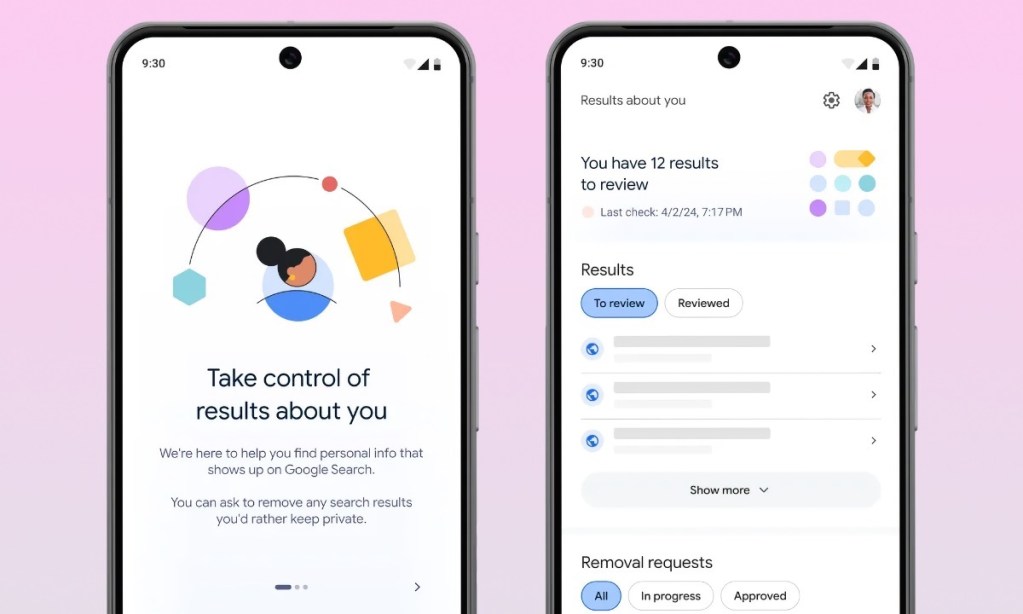
Google offers features to allow site owners to deal with unwanted results. Source: iDrop News
So if you’re wondering how to remove unwanted search results from Google, social media cleanup is one of the simplest and most effective places to start.
5. Contact Site Owners
Sometimes, the best way to handle unwanted Google search results is to go directly to the source, the person or website that published the content.
If the result you want removed doesn’t fall under Google’s removal policies, and it’s not something you control, then reaching out to the site owner or content creator might be your next move.
However, to increase the success rate, remember to:
- Be polite and professional: Always approach them respectfully. Let them know how the content affects you and ask them kindly if they’d consider editing or removing it.
- Be clear: Explain what you’re asking for. Do you want them to remove a name, fix an error, or take the page down completely?
- Think it through: Before you reach out, ask yourself:
- Who wrote this and why?
- Is the info true or outdated?
- Are they likely to cooperate—or could it backfire?
Be aware that if the publisher isn’t supportive, they might ignore your request, or worse, update the article with your message, giving it new life in search results. That’s why you should only reach out if you believe it’s worth the risk.
If they do agree to remove or update the page, great! After that, you can use Google’s Outdated Content Removal Tool to speed up the removal from search results.
6. Create Another Page
When you can’t delete or deindex a result, one of the best ways to deal with unwanted Google search results is to push them down in the rankings, and it is to create new pages.
Here’s how it works: build strong, relevant pages on your website or platforms you control. These new pages can help take over the top spots in search results, making the unwanted ones harder to find.
Since most people never scroll past the first page, this is a practical way to manage your online reputation.
So, if you’re wondering how to remove unwanted search results from Google, it might actually mean learning how to outrank them instead. That means:
- Building or improving your website
- Creating helpful blog posts or articles
- Setting up and maintaining active social media profiles
- Publishing content that targets the same keywords as the negative results
You don’t need to erase the unwanted results. You just need to make sure they’re not the first thing people see.
No need to remove unwanted content, establish another positive page that is authentically yours. Source: Yahoo
And remember, this takes time, effort, and smart SEO. If it feels overwhelming, consider working with a reputation management or SEO team that knows how to remove unwanted Google search results effectively by building content that lasts.

Jeng Nguyen has nearly 10 years of experience ranging from project management, operations, business development, customer service, content creation, video production, photography, website development, social media marketing, email marketing, advertising, SEO and sales.
Well-known as an ace Digital Marketing expert throughout various industries in Vietnam, Australia and the USA - Jeng is known for the success rate that he achieves whilst finding solutions tailored best for each unique business.
Jeng's mission is to revolutionize customer experience, starting with the journey of Attraction - Interest - Desire – Action. Together with a multi-expertise team at ROI Digitally, Jeng aims to provide businesses unprecedented breakthroughs in Return-on Investment from their customers.